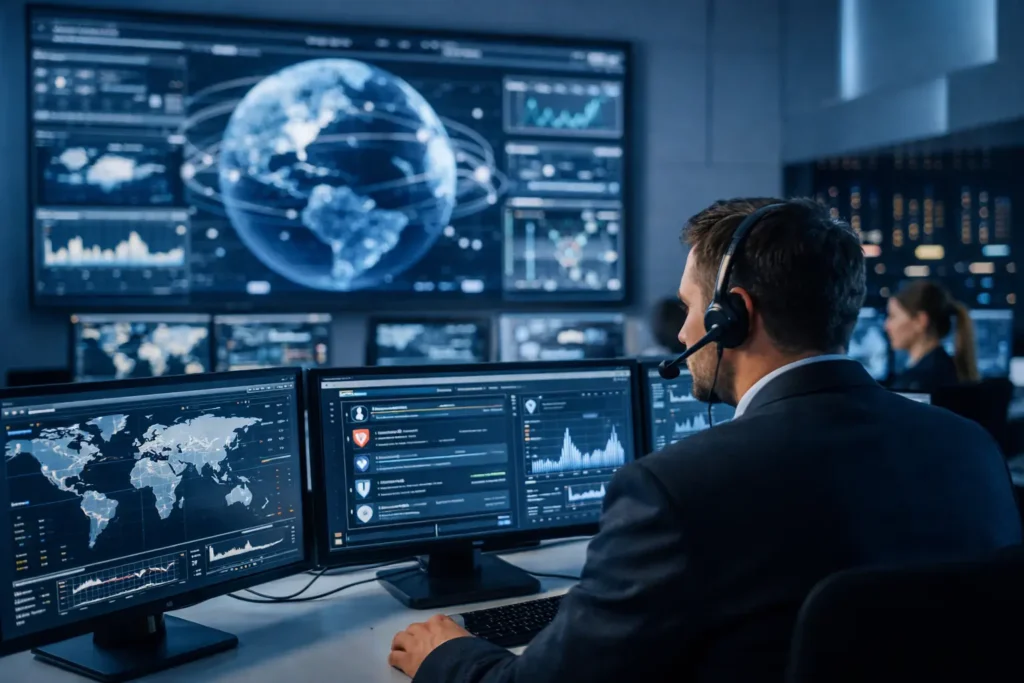
A suspicious sign-in at 2:13 a.m. may look harmless on its own. So might an employee receiving an unusual Microsoft 365 login prompt, a server creating new administrator accounts, or a laptop connecting to a known malicious website. When those events are viewed together, they can reveal an active attack before it turns into ransomware, stolen client data, or a day of lost productivity.
That is the practical answer to what is SIEM monitoring: it is a security service that collects activity from across your technology environment, identifies patterns that may indicate a threat, and gives security professionals the context to investigate and respond.
For a small business, SIEM monitoring is not about adding another dashboard for someone to ignore. It is about having a clearer view of what is happening across the systems your business relies on – email, computers, cloud accounts, firewalls, servers, and networks – so a serious issue is less likely to go unnoticed.
What Is SIEM Monitoring?
SIEM stands for Security Information and Event Management. A SIEM platform gathers security logs and event data from multiple sources, stores and organizes that information, then analyzes it for warning signs.
Every business system creates records of activity. A firewall records blocked connection attempts. Microsoft 365 records sign-ins and mailbox rule changes. Endpoint protection software records malware detections. A server records failed logins, file access, and account changes. Separately, these records can be overwhelming and easy to overlook. A SIEM brings them into one place and compares them against known attack behaviors, security rules, and normal patterns of use.
The word “monitoring” matters. A SIEM is most valuable when suspicious events are actively reviewed and investigated. Software can flag an impossible-travel login or repeated password failures, but a trained person must determine whether it is a harmless false alarm, an employee traveling, a misconfigured application, or an attacker using stolen credentials.
How SIEM Monitoring Works in a Real Business
SIEM monitoring generally follows a cycle: collect information, correlate events, alert on meaningful risks, investigate, and respond. The goal is not to treat every unusual event as an emergency. It is to distinguish routine technology noise from activity that could interrupt operations or expose sensitive information.
Collecting the right security data
A SIEM connects to the systems that matter most to your operation. For many small and growing organizations, that includes:
- Employee computers and mobile devices
- Email and cloud platforms such as Microsoft 365
- Firewalls, routers, Wi-Fi equipment, and VPNs
- Servers, file storage, and business applications
- Endpoint detection, antivirus, and identity-management tools
Coverage should match the way your business works. A law office may prioritize email, document access, and cloud identity logs. A warehouse may need visibility into shared workstations, network equipment, remote access, and operational systems. A business with several locations needs to know whether security controls are working consistently at every site.
Connecting events that do not look dangerous alone
Correlation is what makes SIEM technology useful. The system examines activity from different sources and looks for combinations that suggest risk.
For example, a single failed password attempt is common. Hundreds of failed attempts against several accounts, followed by a successful login from an unfamiliar location, are much more concerning. Similarly, a new mailbox forwarding rule may be legitimate. If it appears shortly after an unusual login and sends financial emails outside the company, it may indicate a business email compromise attempt.
This context helps security teams prioritize the alerts that deserve immediate attention. It also shortens investigations because relevant evidence is already tied together instead of being scattered across several vendor portals.
Alerting and response
When a SIEM identifies a high-risk event, the response should follow a documented process. Depending on the alert and service level, that may include validating the activity, contacting the business, isolating an endpoint, disabling a compromised account, blocking a malicious connection, or preserving evidence for further investigation.
Fast action matters, but so does judgment. Automatically shutting down a critical system based on every alert can create its own operational disruption. A managed security process balances containment with business continuity, escalating quickly when the evidence shows a real threat.
What SIEM Monitoring Can Detect
No monitoring tool can prevent every incident, and no service can promise that every alert is an attack. Still, properly configured SIEM monitoring can detect many of the behaviors attackers use before or during a breach.
Common examples include repeated failed logins, sign-ins from unusual locations, attempts to access systems without permission, suspicious changes to user accounts, malware alerts, disabled security tools, unusual data transfers, and connections to known malicious sites. It can also identify configuration changes that weaken security, such as a firewall rule being modified or multi-factor authentication being removed from an account.
For businesses concerned about ransomware, the value is early visibility. Ransomware often involves more than encrypted files. Attackers may probe the network, steal credentials, move between systems, disable defenses, and attempt to access backups before deploying encryption. SIEM monitoring can help identify pieces of that sequence while there is still time to limit damage.
SIEM Monitoring vs. Antivirus, a Firewall, and a SOC
SIEM monitoring does not replace the basic security controls your business already needs. It makes those controls more useful by bringing their alerts and activity into a broader security picture.
Antivirus and endpoint protection focus on threats at the device level. Firewalls control traffic entering and leaving your network. Multi-factor authentication helps prevent account takeover. Backups support recovery when something goes wrong. Each is necessary, but each sees only part of the environment.
A SIEM collects signals from these tools and looks across them. Think of it as the central record and analysis layer for security activity.
A Security Operations Center, or SOC, is different. A SOC is the people and process behind ongoing security operations. In a managed model, a SOC team monitors SIEM alerts, investigates suspicious activity, and follows response procedures. SIEM technology without qualified oversight can still produce valuable reports, but it may leave a business with too many alerts and no one available to act on them.
Why Small Businesses Need SIEM Monitoring
Small businesses are often targeted because attackers expect fewer security controls, limited staff, and slower detection. An office manager or business owner may be responsible for vendor payments, HR paperwork, customer data, and daily operations. They should not also have to interpret security logs at midnight.
SIEM monitoring supports business continuity in several practical ways. It improves visibility across systems, helps detect account compromise earlier, provides a record of security events for investigations, and supports documented incident handling. For organizations subject to client security requirements or compliance obligations, centralized logging can also make it easier to demonstrate that security events are being monitored and reviewed.
The trade-off is that SIEM monitoring must be designed well. Collecting every possible log without tuning rules, defining priorities, or assigning response ownership can create noise rather than protection. The right approach depends on your number of users, cloud services, locations, sensitive data, and tolerance for downtime.
What to Look for in a Managed SIEM Service
Before choosing a provider, ask what data sources are included, who reviews alerts, how quickly urgent events are escalated, and what actions can be taken after hours. Ask whether the service includes endpoint monitoring, cloud identity monitoring, firewall logs, and regular reporting that a business owner can understand.
You should also clarify responsibility. If a high-risk alert occurs, will the provider notify you only, or can they contain a threat under an agreed process? Are incident response procedures documented? Will you receive recommendations when the monitoring service finds recurring weaknesses, such as unsecured accounts, outdated systems, or missing security controls?
A useful managed service should give you more than a monthly report full of technical terms. It should provide clear answers: what happened, what was done, whether the business was affected, and what should be improved next.
SIEM Monitoring Is Most Effective Before a Crisis
Security monitoring is not a substitute for backups, employee awareness training, patching, or strong identity controls. It is the layer that helps connect the dots when one of those defenses is tested or bypassed. When paired with reliable technology management, it gives a business a better chance to contain a threat before it becomes a public, expensive disruption.
For Las Vegas businesses that need one trusted partner for daily IT support and 24/7 threat visibility, System Integrators of Nevada can help assess which systems should be monitored and how security response should work when an alert cannot wait. The best time to establish that process is while your team is working normally, not while a critical account is locked down or your files are inaccessible.