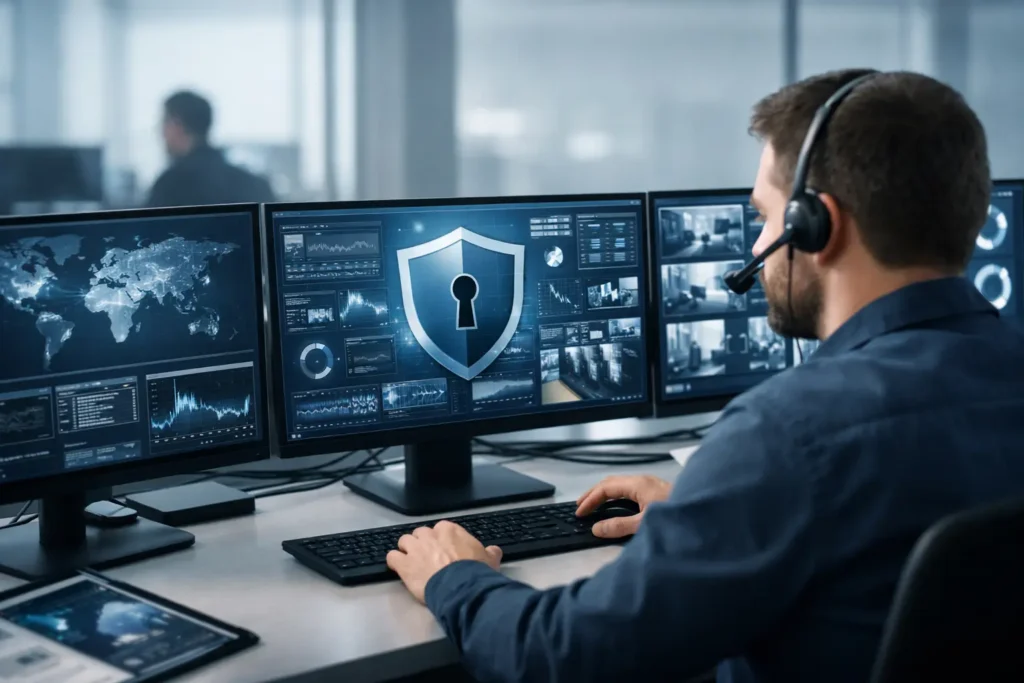
A suspicious sign-in at 2:13 a.m. can become a locked file server by the time your office opens. That is the gap SOC monitoring for small business is designed to close. Instead of discovering a problem after payroll, customer records, or daily operations are affected, a security team and monitoring platform look for warning signs around the clock and respond before a minor event becomes business downtime.
For a Las Vegas law office, retail operation, warehouse, or growing professional-services company, cybersecurity cannot depend on whether someone happens to see an alert in the morning. Small businesses are frequent targets because attackers expect limited internal IT coverage, inconsistent patching, and busy employees who may be more likely to click a convincing phishing email. A practical Security Operations Center, or SOC, gives a small organization a way to improve its defenses without staffing an in-house security department.
What SOC Monitoring Means for a Small Business
SOC monitoring is ongoing security oversight of the systems that keep your business running. It collects activity from endpoints, email security tools, firewalls, cloud services, and network equipment, then looks for patterns that may indicate an attack, unauthorized access, or a serious configuration issue.
The monitoring technology matters, but software alone is not a SOC. Security tools create a large volume of alerts, and many are harmless. A managed SOC combines those tools with trained people who investigate activity, determine what requires action, and follow an incident process. That distinction helps prevent both missed threats and unnecessary panic over routine activity.
For example, a single failed login may be an employee mistyping a password. Hundreds of failed attempts across multiple accounts, followed by a successful login from an unfamiliar location, deserve attention. A SOC can connect those events, assess the risk, and take the next step based on established response procedures.
Why Traditional IT Support Is Not Enough
Reliable helpdesk support, patch management, backups, and antivirus are essential. They are also only part of the security picture. Traditional IT support often responds when a user reports a problem: a computer is slow, email is unavailable, or a printer has stopped working. SOC monitoring is built to identify potentially malicious activity before an employee recognizes that anything is wrong.
That proactive layer is particularly valuable against ransomware. Modern ransomware attacks may start with stolen credentials, a phishing message, an unpatched device, or remote access that was not properly secured. Attackers often spend time moving through a network and identifying valuable data before they encrypt anything. Early detection can interrupt that process while recovery options are still available.
A SOC also supports business continuity. If a compromised account is quickly contained, the outcome may be a password reset and a brief investigation rather than days of downtime, emergency recovery costs, missed appointments, and difficult conversations with clients.
What a Managed SOC Should Watch
The right coverage depends on your business, the data you handle, and the systems your team relies on. A company processing payment information, managing legal files, or connecting multiple locations may need broader monitoring than a small home office. Still, a useful managed SOC typically watches several critical areas:
- Endpoint activity, including malware behavior, suspicious programs, unauthorized tools, and attempts to disable security controls.
- Identity and login activity, such as impossible travel, repeated failed sign-ins, new administrator accounts, and unusual access to cloud services.
- Email threats, including phishing attempts, malicious attachments, compromised mailboxes, and fraudulent forwarding rules.
- Network and firewall events that may reveal unauthorized connections, scanning activity, or attempts to move between devices.
- Security gaps, including missing patches, exposed remote access, inactive protections, and systems that no longer meet policy requirements.
Monitoring should not stop at generating a ticket. Ask how events are reviewed, how urgent incidents are escalated, and who contacts your team if action is needed after hours. A provider should be able to explain the path from detection to containment in plain language.
SOC Monitoring for Small Business Is About Response
Many small businesses already have security software installed. The harder question is who is watching it, especially when an alert appears outside business hours. A monitored service is most valuable when it has clear response authority and well-defined communication.
In some cases, a security team can isolate a compromised device, block a malicious connection, or disable a risky account while the investigation continues. In other situations, the correct action requires approval from the business because shutting down access could interrupt operations. That is why an incident response plan should be agreed upon before a crisis, not written while employees are unable to work.
Good response planning identifies who can make decisions, which systems are most critical, how employees should report suspicious activity, and how the business will communicate during an incident. It also accounts for backups. Backups are vital, but they are not a substitute for monitoring. If an attacker still has access to your environment, restoring files without containing the intrusion can lead to a second compromise.
The Cost Question: What Are You Actually Buying?
Small business owners are right to question security costs. The goal is not to purchase every available tool. It is to reduce meaningful risk in a way that fits the organization’s operations and budget.
A managed SOC is generally more predictable and less expensive than building equivalent internal coverage. Around-the-clock monitoring requires security platforms, documented processes, and experienced analysts. Most companies with 1 to 25 users do not need, or cannot justify, hiring a full internal security team for that role.
However, not every business needs the same service level. A one-person home office with limited sensitive data may start with managed endpoint protection, secure backups, and basic monitoring. A business that handles client records, has remote workers, accepts payments, or relies on multiple connected systems may benefit from broader SOC and SIEM coverage. SIEM, or Security Information and Event Management, helps centralize and correlate security data from different systems.
The best approach begins with an honest assessment of your environment. How many devices are in use? Are employees working remotely? Is multifactor authentication enforced? Where is sensitive data stored? Which systems would stop revenue or operations if they went offline for a day? The answers shape the level of monitoring that makes sense.
Red Flags That Signal a Need for Better Monitoring
A business should not wait for ransomware to decide whether it needs a stronger security posture. Certain everyday conditions point to avoidable exposure. Shared passwords, former employees who may still have access, computers that miss updates, unsupported software, and remote access tools installed without oversight all increase risk.
So do unclear responsibilities. If employees do not know whom to call after receiving a suspicious email, or if no one can say whether backups were tested recently, the organization has a response gap. Security policies do not need to be complicated, but they must reflect how people actually work.
It is also worth reviewing vendor overlap. One provider may manage email, another handles devices, and a third maintains the network. When an incident crosses all three areas, unclear ownership can delay containment. Working with one trusted partner for daily IT and security monitoring can reduce that friction because the people responding understand the environment they are protecting.
Getting Started Without Disrupting the Business
A well-planned SOC rollout should not feel like a major construction project. It typically starts with an inventory of devices, users, accounts, software, network equipment, and cloud services. From there, your IT provider can identify gaps, deploy or tune security tools, establish alerting rules, and document escalation contacts.
The process should also include employee awareness. Most attacks do not begin with a dramatic technical failure. They begin with an ordinary-looking email, a reused password, or a request that appears to come from a trusted contact. Clear training gives employees a simple way to pause, verify, and report concerns without feeling blamed.
System Integrators of Nevada helps local businesses connect managed IT, endpoint protection, backups, and security monitoring into one accountable support model. That matters when time is limited: you should not have to coordinate separate vendors while an active threat is unfolding.
The goal is not to eliminate every alert or promise that no attack will ever occur. It is to make your business harder to compromise, faster to recover, and less likely to lose a normal workday to a preventable security event. When a threat appears at 2:13 a.m., having someone already watching can make all the difference by 8:00 a.m.