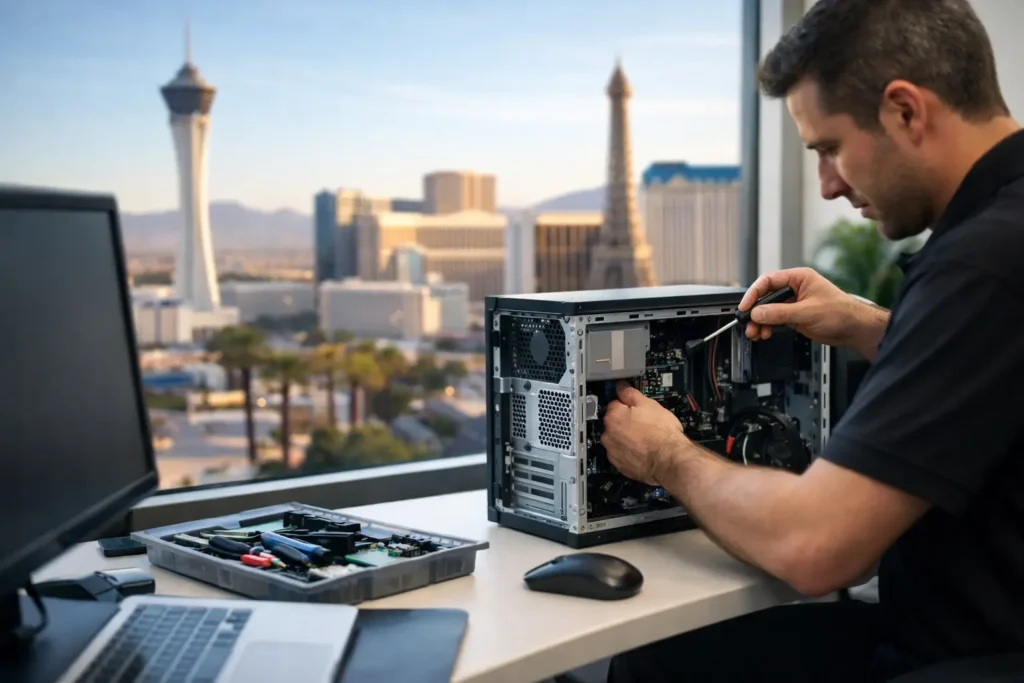
At 9:07 a.m., a failed workstation is not just a computer problem. It can mean a receptionist cannot check in clients, a warehouse cannot print orders, a legal team cannot access case files, or a retailer cannot process payments. Las Vegas computer repair for businesses has to do more than get a device to power on. It must restore productivity without exposing company data, disrupting operations, or creating the next preventable outage.
For a business, the right repair decision starts with the impact on people, systems, and security. A quick consumer-style fix may appear cheaper, but it can leave behind malware, an aging drive, missing updates, or an undocumented configuration that causes more trouble later. Business repair should address the immediate issue and the conditions that allowed it to happen.
What Business Computer Repair Should Cover
A business computer is part of a larger operating environment. It connects to shared files, cloud applications, printers, Wi-Fi, email, accounting tools, customer records, and sometimes specialized equipment. When it fails, the technician needs to know whether the problem is isolated or a sign of a wider issue.
That is why a proper repair process begins with practical triage. Is the device failing because of a damaged hard drive, a corrupted update, overheating hardware, a power problem, or a software conflict? Is it one employee’s issue, or are multiple users reporting the same symptoms? Has anyone clicked a suspicious email attachment or entered credentials into a fake login page?
The answer changes the repair plan. Replacing a failing component may be enough for a single aging laptop. If several systems are slow, dropping network connections, or showing unfamiliar pop-ups, the business may need malware remediation, network checks, password resets, and a review of endpoint security before normal work resumes.
Hardware Repair Is Only One Part of the Job
Hard drives fail. Laptop batteries swell. Fans stop cooling. Screens crack, charging ports loosen, and power supplies wear out. These are straightforward problems, but the business consequences are not always straightforward.
Before replacing hardware, a technician should protect recoverable data and confirm whether the device is still a sensible investment. A five-year-old computer with a failed drive may be worth repairing if its processor, memory, and business software are still suitable. A much older unit with recurring failures may cost more in lost staff time than a replacement would cost.
The same thinking applies to upgrades. Adding memory or replacing a traditional hard drive with a solid-state drive can extend the useful life of a machine. But upgrades do not fix outdated operating systems, incompatible software, weak security settings, or an unreliable network. The goal is not to keep every device alive indefinitely. It is to make a sound business decision with zero surprises.
Las Vegas Computer Repair for Businesses Requires Security First
A computer that starts up again is not necessarily safe to put back into service. This matters especially for law firms, medical-adjacent offices, financial professionals, retail businesses, and any organization handling customer or employee information.
Malware removal is a good example. A device may look normal after a basic cleanup while credential-stealing software, hidden remote-access tools, or unauthorized browser extensions remain active. A business-grade response includes checking for malicious activity, removing the threat, applying security updates, reviewing account access, and determining whether sensitive data may have been exposed.
Ransomware concerns require even more care. Disconnecting an affected system from the network can help limit spread, but deleting files or rushing to reinstall Windows may destroy evidence and complicate recovery. The right response depends on what was encrypted, whether backups are available, whether other endpoints show signs of compromise, and how quickly critical operations must be restored.
This is where documented procedures matter. Businesses need to know what happened, what was done, what data was restored, and what safeguards should change afterward. Repair without documentation can leave an owner guessing the next time an employee reports a similar issue.
Data Recovery Has Limits, So Backups Matter
Data recovery can sometimes retrieve files from a failed drive, deleted folder, or damaged operating system. Sometimes it cannot. The condition of the device, the type of failure, and whether new data has overwritten old files all affect the outcome.
A repair provider should be candid about those limits. Recovery work can be time-sensitive, and repeated attempts to start a failing drive may make the situation worse. When the data is essential, preserving the device and evaluating recovery options before further use is often the prudent step.
The better long-term approach is tested backup. A backup that has never been checked is an assumption, not a recovery plan. Businesses should know what is backed up, how often it runs, how long restoration takes, and whether it includes critical cloud data as well as files stored on local computers and servers.
Local Response Matters When Operations Are Stalled
Remote support is efficient for many issues. Password problems, software errors, printer configuration, updates, and user access requests can often be handled without waiting for someone to drive across town. But some problems require eyes and hands on site.
A network closet with disconnected equipment, a workstation that will not boot, a damaged laptop, unstable office Wi-Fi, or a failed printer affecting a whole department may call for local assistance. Las Vegas businesses should look for a provider that can make that distinction quickly rather than forcing every problem into a remote-only process.
Direct human support also changes the experience during an urgent incident. When a business owner is dealing with a locked system or a suspected breach, being routed through a generic call center adds friction at the worst possible moment. A local partner who knows the environment can prioritize the issue, explain what is happening in plain language, and offer practical options such as emergency service or a loaner system when appropriate.
Repair, Managed Support, or Replacement?
Not every technology issue calls for the same service model. Hourly repair is often a sensible choice for a one-time hardware failure, a single malware incident, a new employee setup, or a home office that needs help without an ongoing commitment. It gives businesses flexibility when their technology needs are limited or unpredictable.
Managed IT support is usually a better fit when problems repeat, multiple employees need assistance, or the cost of downtime is growing. Proactive monitoring can identify failing drives, missed updates, low storage space, and security gaps before they become work-stopping events. Routine health checks also create a clearer picture of which systems should be repaired, upgraded, or replaced.
For organizations with sensitive data or higher risk, managed security operations add another layer. Around-the-clock threat monitoring, endpoint management, security policies, and incident response processes help reduce the chance that a phishing email or compromised password becomes a business-wide interruption. It depends on the organization, its compliance needs, and the value of the data involved, but security should not be treated as an optional add-on after an incident.
Questions to Ask Before Approving a Repair
A business owner does not need to become an IT expert to make a good decision. Start by asking whether the technician has identified the root cause, whether company data is protected, and whether the repair includes testing after the work is complete. Also ask how the provider will document passwords, configurations, installed software, and any recommendations for preventing a repeat issue.
Ask about response expectations as well. Can the provider support users remotely when that makes sense? Will someone come on site when physical access is necessary? Is there a clear path for urgent issues? The answers reveal whether you are getting a temporary fix or a dependable support relationship.
System Integrators of Nevada brings more than 30 years of IT experience to local businesses that need both. The approach is direct: diagnose the problem, protect the data, repair what makes business sense, and address the security or infrastructure issue behind the failure. That can include no-contract hourly work for an immediate problem or proactive managed support for organizations that want fewer surprises.
The next computer problem should not be the moment your business discovers it has no recovery plan, no documented setup, or no one accountable for the network. Treat each repair as a chance to strengthen the systems your people rely on every day.