
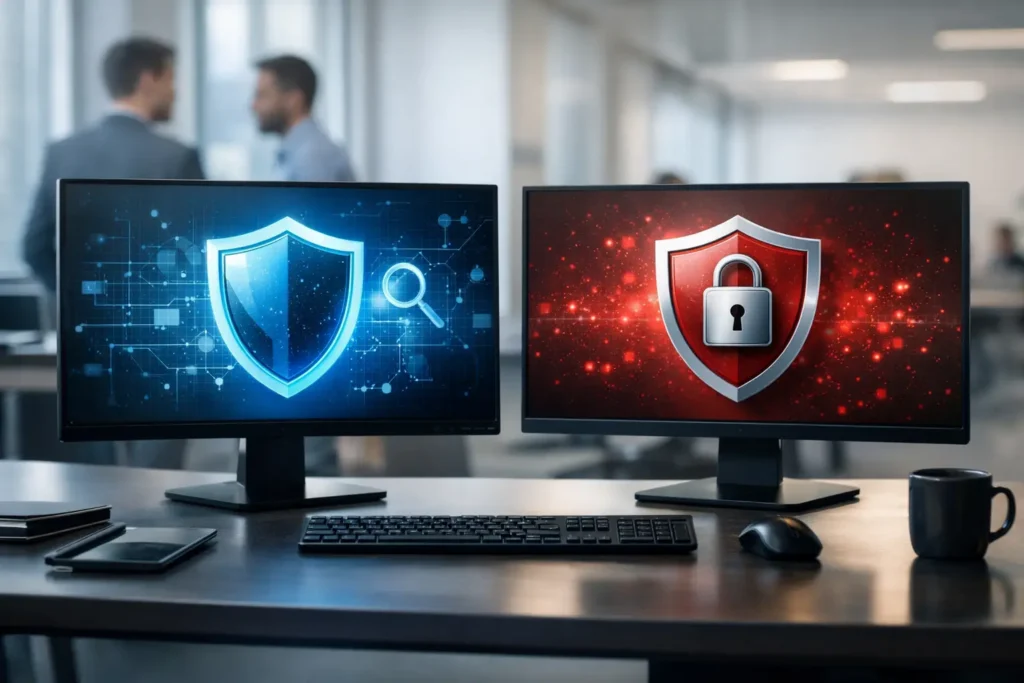
A single malicious email attachment can turn a normal workday into an expensive interruption. When comparing EDR versus antivirus protection, the real question is not which tool sounds more advanced. It is whether your business can detect, contain, and recover from a threat before it reaches customer data, shared files, point-of-sale systems, or daily operations.
Traditional antivirus remains a useful layer of endpoint security. But many small businesses now face attacks that do not look like the viruses antivirus was originally built to catch. Ransomware operators, stolen credentials, malicious scripts, and phishing-based intrusions often require deeper visibility and a faster response.
What traditional antivirus protection does well
Antivirus software looks for malicious files and suspicious activity on computers, servers, and sometimes mobile devices. It commonly relies on known threat signatures, reputation databases, and behavioral rules to identify malware. When it recognizes a threat, it can block, quarantine, or remove the file.
For basic protection, that matters. Antivirus can stop many common threats before an employee notices anything is wrong. It is generally affordable, lightweight, and straightforward to deploy across a small office. A properly managed antivirus product should still be part of a business security plan.
The limitation is context. Antivirus is primarily designed to prevent malware from running. It may alert when it detects a malicious file, but it may not provide a complete picture of what happened before or after that file appeared. If an attacker used a legitimate employee login, moved through shared folders, or launched a script without dropping a recognizable malware file, traditional antivirus may have little to flag.
That does not mean antivirus has failed. It means the threat has moved beyond the type of attack it was designed to handle alone.
EDR versus antivirus protection: the practical difference
EDR stands for endpoint detection and response. Like antivirus, EDR runs on workstations and servers. The difference is that EDR continuously records and analyzes endpoint activity, then helps identify suspicious behavior that may signal an active intrusion.
Think of antivirus as a guard checking for known prohibited items at the door. EDR is closer to a security team watching activity inside the building, investigating unusual behavior, and isolating an affected area when necessary.
An EDR platform can watch for actions such as an employee account attempting to access an unusually large number of files, a process launching encrypted commands, a workstation making unusual connections, or a program trying to disable security tools. It can connect these events into an attack timeline, giving technicians evidence to investigate rather than a single isolated alert.
When a threat is confirmed, EDR can often isolate the affected device from the network while still allowing a technician to investigate it. That response can prevent one infected computer from spreading ransomware across file shares or reaching other systems.
For a business owner, the outcome is simple: less time between suspicious activity and action. In a ransomware event, minutes can make a significant difference.
Why businesses need more than file scanning
Modern attacks frequently start with everyday business tools. An attacker may use a stolen Microsoft 365 password, a phishing message that appears to come from a vendor, or remote access credentials exposed through weak passwords. They may rely on built-in Windows tools to avoid detection rather than installing obvious malware.
These methods are difficult for older security tools to catch because the activity can initially look legitimate. A valid user account is logging in. A normal administrative tool is running. A document is being opened by an employee.
EDR looks more closely at the behavior surrounding those actions. For example, it may detect that a user who normally works from Las Vegas is suddenly logging in from an unfamiliar location, then using that account to access hundreds of folders at an unusual time. It may identify a chain of activity in which a phishing attachment launches a script, downloads a payload, and attempts to encrypt files.
This visibility is particularly valuable for law firms, medical-adjacent offices, retailers, warehouses, and professional-service businesses that cannot afford lengthy outages or exposure of sensitive records. The financial impact is not limited to recovery costs. It can include lost productivity, missed sales, reputational damage, compliance obligations, and time spent notifying clients.
EDR is not a replacement for every security control
EDR is powerful, but it is not a complete cybersecurity program by itself. It does not replace data backups, email filtering, multifactor authentication, patch management, firewall configuration, employee training, or documented incident procedures.
It also needs proper oversight. An EDR tool can produce alerts, but someone must determine whether those alerts represent normal business activity, a configuration issue, or a real attack. If alerts sit unread until the next business day, the value of rapid detection is reduced.
That is why many small organizations pair EDR with managed security monitoring. A security operations team can review high-risk alerts, investigate suspicious endpoint activity, and escalate a confirmed incident quickly. This gives smaller businesses access to a level of continuous attention that would be difficult to staff internally.
There is a trade-off. EDR with active monitoring costs more than consumer-grade antivirus. It may also require careful configuration to avoid interrupting specialized software, point-of-sale applications, or industry-specific workflows. Those costs should be weighed against the cost of a multi-day outage, emergency recovery work, or a ransomware demand.
Which option fits your business?
A home office with one computer, limited sensitive data, and reliable cloud backups may start with business-grade antivirus, automatic updates, multifactor authentication, and a clear backup process. Even then, the antivirus should be centrally managed and reviewed, not simply installed and forgotten.
A growing business with multiple employees, shared files, remote access, customer information, or payment systems has a stronger case for EDR. The need increases when downtime directly affects revenue or when one compromised device could reach critical systems.
EDR is especially worth considering if your organization has experienced phishing attempts, uses remote workers, depends on cloud productivity tools, handles regulated information, or has no internal IT employee available to respond to suspicious activity. In these situations, the question is less about company size and more about exposure and operational consequences.
The strongest approach is usually layered protection: business-grade antivirus capabilities for broad prevention, EDR for deeper endpoint visibility and containment, and 24/7 monitoring for timely human response. Add tested backups and a documented recovery plan, and the business is in a far better position to keep operating after an incident.
What to ask before choosing an EDR solution
Before purchasing a security product, ask practical questions that connect directly to your operations. Who watches alerts after hours? Can the system isolate an infected device? Does it cover laptops used off-site? Will it work with your accounting, point-of-sale, or line-of-business software? How are incidents communicated, documented, and resolved? How does this affect user accounts as well as endpoints?
Also ask how endpoint security fits with backups and recovery. A security tool may stop an attack, but no tool can guarantee that every attack will be blocked. Backups should be protected from unauthorized deletion, tested regularly, and designed to restore the systems your team needs most.
For businesses without an internal IT department, a local partner can also help establish an accurate device inventory, remove outdated security software, apply consistent policies, and confirm that every computer is actually reporting in. Security gaps often come from unmanaged laptops, former employee accounts, forgotten servers, or devices that were never included in the original setup.
System Integrators of Nevada helps Las Vegas businesses bring endpoint protection, monitoring, backup planning, and responsive local support under one accountable IT relationship. The goal is not to pile on tools. It is to make sure the tools are monitored, maintained, and ready to support business continuity when it counts.
The next useful step is to review your current endpoints before an incident forces the issue. Identify which devices hold sensitive data, who receives security alerts, how quickly a compromised computer could be isolated, and whether your backups can be restored. Those answers will make the right level of protection much clearer.

