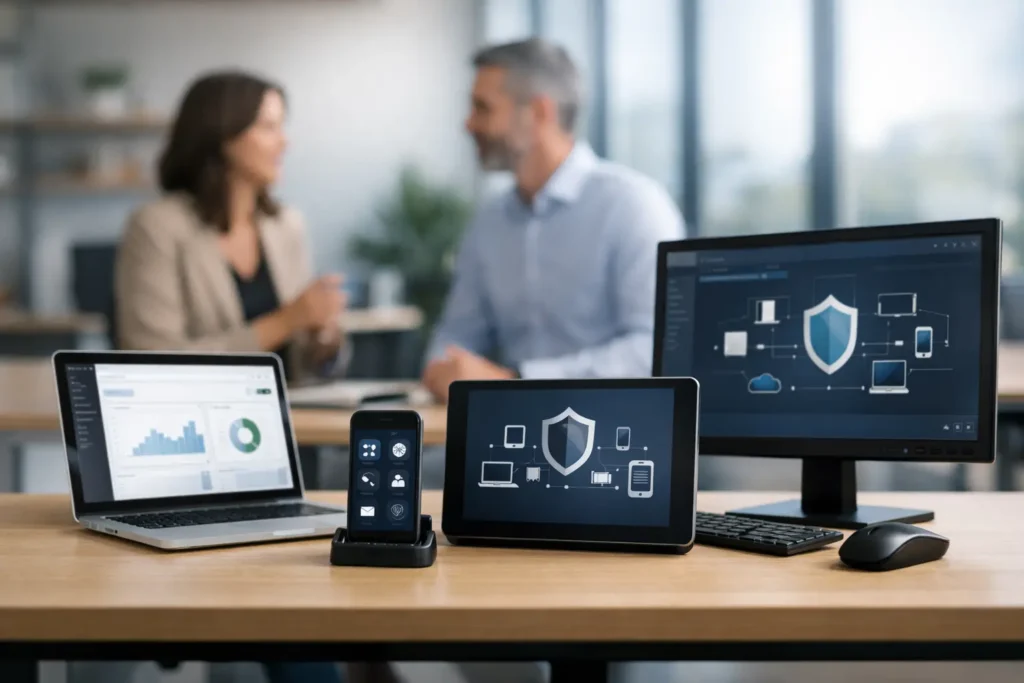
A laptop that misses security updates, a former employee’s phone that still has company email, and a desktop with a failing hard drive can all create the same problem: work stops when your team needs it most. Endpoint management for small business puts every business device under a consistent plan, so routine issues are handled before they become a lost day, a data incident, or an expensive emergency.
For a business with a handful of employees, technology often feels manageable until it is not. One person may handle software updates when they have time. Another may buy a replacement computer at a retail store and hope it works with the office printer. That approach can function for a while, but it leaves gaps that ransomware, hardware failures, and ordinary human error can exploit.
What Endpoint Management Means for a Small Business
An endpoint is any device that connects to your business network, applications, or data. That includes office desktops, laptops, mobile phones, tablets, and sometimes specialized equipment such as warehouse workstations or point-of-sale systems. Each endpoint is a doorway into the business.
Endpoint management is the ongoing work of maintaining, securing, and supporting those devices from a central process. It is not just remote access for tech support. A properly managed endpoint has documented ownership, appropriate user access, current operating system and application patches, security protection, backup considerations, and a plan for replacement when it reaches the end of its useful life.
For a Las Vegas law office, that may mean protecting client files on every attorney’s laptop. For a retail business, it may mean keeping point-of-sale devices stable during busy hours. For a growing office, it may mean making sure a new hire can work securely on day one instead of spending two days waiting for accounts, applications, and access to be set up.
Why Unmanaged Devices Create Expensive Gaps
Small businesses are frequently targeted because attackers expect fewer layers of protection and less formal oversight. Phishing emails, stolen passwords, unpatched software, and malware do not require a large company to be profitable for a criminal. They only require one opening.
The financial cost goes beyond a ransom demand. A compromised device can interrupt payroll, scheduling, customer communication, invoicing, and access to critical files. If sensitive information is involved, the business may also face notification obligations, reputational damage, and questions from clients about whether their data was protected.
Unmanaged devices also create operational risk without any attack involved. A computer can run out of storage, lose its connection to a shared drive, develop disk errors, or become too old to reliably support current software. When no one is checking its health, the first notice often comes from the employee who cannot work.
Reactive repair still has a place. A broken screen or accidental spill may need immediate attention regardless of planning. But break-fix support alone does not address the conditions that caused the problem or reduce the chances of the next one. Proactive management is designed to catch warning signs earlier, with fewer surprises for the business.
Core Elements of Endpoint Management for Small Business
The right program should be proportionate to the way your business operates. A two-person home office does not need the same process as a multi-site company, but both need a clear standard for protecting devices and business data.
A practical endpoint management service usually brings together these distinct functions:
- Device inventory and ownership tracking: Know which devices belong to the business, who uses them, what software they run, and whether they are still supported.
- Patch and update management: Apply operating system and application updates on a planned schedule, while addressing critical vulnerabilities quickly.
- Managed antivirus and endpoint detection: Watch for malware, suspicious activity, and security events that traditional antivirus may miss.
- Remote monitoring and maintenance: Identify low disk space, failing hardware, service outages, and performance problems before they disrupt users.
- User setup and offboarding: Configure new devices properly and remove access quickly when an employee leaves or changes roles.
- Backup and recovery planning: Protect the data that matters and regularly confirm that recovery is possible when it is needed.
These pieces work best together. For example, remote monitoring can identify a computer with a failing drive, but backup verification determines whether the user’s data is recoverable. Offboarding can disable an account, but mobile device management may be needed to remove company information from a phone. One tool rarely solves every part of the job.
Security Is More Than Installing Antivirus
Many businesses assume a security subscription on each computer is sufficient. Antivirus remains useful, but it is only one layer. Modern attacks may use stolen credentials, malicious links, unauthorized remote access, or legitimate software that has not been patched.
A security-first endpoint program considers how devices, people, accounts, and data work together. Multi-factor authentication can reduce the impact of a stolen password. Email filtering can stop many phishing attempts before they reach an inbox. Endpoint detection can identify suspicious behavior after something gets through. Reliable backups can limit the damage when an incident affects files or systems.
There are trade-offs. Stronger controls can add small steps for users, such as approving a sign-in on a phone or waiting briefly for a required update. The goal is not to create friction for its own sake. It is to apply sensible protection without making it harder for employees to do their jobs.
Businesses handling client records, payment information, health-related data, or legal documents should also consider compliance expectations. Even when a formal framework does not strictly apply, documented controls, access reviews, and incident procedures demonstrate that the business takes data protection seriously.
The Value of a Consistent Device Standard
Standardizing devices is one of the least glamorous and most valuable decisions a small business can make. When every employee uses a different operating system, software version, storage setup, and email configuration, support takes longer and security becomes harder to verify.
A device standard does not mean every employee must have identical hardware. A designer may need more processing power than an office administrator, while a warehouse manager may need a durable mobile device. It means each device is selected, configured, secured, and supported according to its role.
This standard should cover approved hardware, business software, account setup, encryption where appropriate, security controls, replacement timing, and who can authorize changes. It gives employees clarity and keeps technology purchases from becoming one-off decisions made under pressure.
Lifecycle planning matters here. Keeping a computer for too long may seem economical, but older equipment can cause repeat service calls, slow productivity, and compatibility problems. Replacing every device too early wastes money. The practical answer is to monitor condition, warranty status, performance, and the user’s workload, then plan replacements before failures become emergencies.
Choosing the Right Support Model
Some small businesses need occasional help and prefer hourly service with no long-term commitment. That can make sense for a stable home office, a one-time cleanup, or an immediate repair. It provides flexibility, especially when there are few devices and limited technology needs.
A managed monthly model is usually a better fit when employees rely on computers every day, work with sensitive information, or cannot afford recurring downtime. Per-endpoint pricing makes costs more predictable and establishes responsibility for regular monitoring, maintenance, and security tasks. Instead of deciding whether to call for help after a problem appears, the business has an ongoing technology partner watching the environment.
Before selecting a provider, ask direct questions. Who responds when an employee cannot work? Are security alerts monitored around the clock or only during business hours? How are new employees onboarded and departing employees offboarded? What is included in the monthly price, and what is billed separately? Can the provider support your network, Wi-Fi, backups, and devices, or will you need to coordinate multiple vendors?
The answers reveal whether you are buying a tool, a helpdesk, or a complete support relationship. Small businesses benefit when there is one accountable partner who understands how their technology fits together.
Start With Visibility, Then Build the Plan
The first step is not buying more software. It is getting an accurate view of what you have. Count every business device, identify who uses it, record where critical data lives, and note which systems would stop operations if they failed. Include remote employees and personal devices used for company email or files.
Next, prioritize the risks that could cause the most disruption. For many organizations, that means securing email access, confirming backups, updating unsupported computers, and establishing a rapid process for lost devices or employee departures. A mature program can expand over time to include security monitoring, documented incident response, and compliance readiness.
System Integrators of Nevada helps local businesses turn that inventory into an operational plan with direct support, proactive maintenance, and security-focused oversight. The point is not to burden your team with more technology administration. It is to give them dependable systems and a real person to call when they need help.
Before your next computer fails or suspicious email reaches the wrong inbox, take an honest look at whether every business device is known, protected, and supportable. That simple check can prevent a great deal of downtime later.