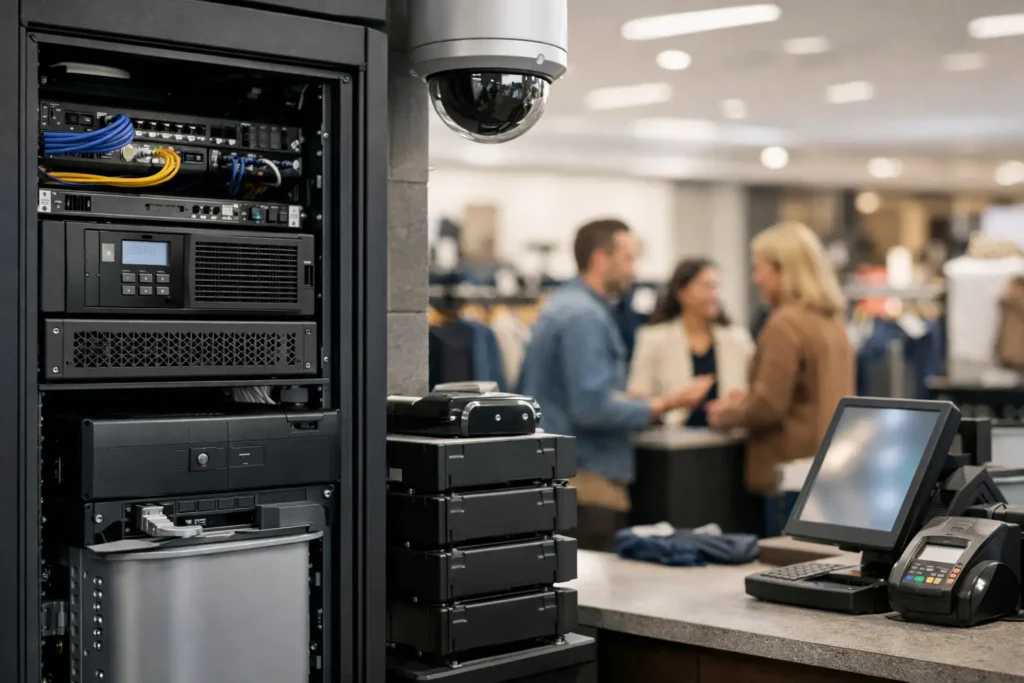
A card terminal that will not process payments at 6:15 p.m. is not just an IT issue. It is a line at the counter, frustrated customers, abandoned purchases, and employees trying to improvise under pressure. This retail uptime example shows what dependable operations look like when a store loses its primary internet connection during a busy sales period.
For a Las Vegas retailer, the stakes can be especially high during conventions, holiday traffic, weekend events, or a sudden rush caused by extreme weather. The goal is not to promise that every piece of technology will never fail. The goal is to keep a single failure from stopping the business.
A Retail Uptime Example: Internet Fails, Sales Continue
Consider a specialty retailer with two locations, 14 employees, cloud-based point-of-sale systems, security cameras, guest Wi-Fi, inventory tablets, and a payment processor that depends on internet access. Its primary cable connection goes down at one location on a Saturday afternoon.
Without preparation, the store cannot reliably authorize card transactions, check inventory at the other location, receive online order updates, or access certain cloud-based business applications. Employees may resort to handwritten receipts, personal phone hotspots, or turning customers away. Each workaround adds risk, confusion, and reconciliation work after service returns.
In a better outcome, the store’s managed firewall detects that the primary circuit is unavailable and automatically switches essential traffic to a configured cellular backup connection. The POS systems remain online. Card payments continue. The inventory system may run more slowly, and guest Wi-Fi may be temporarily disabled to preserve bandwidth, but the revenue-producing systems have priority.
An alert is sent to the business owner and IT support team. Staff receive a plain-language message: the main internet service is down, sales systems are operating on backup connectivity, and no action is needed at the register. The IT team opens a case with the internet provider, monitors the backup connection, and confirms normal operations after the primary circuit is restored.
The outage still happened. The business did not lose control of the customer experience.
What Made This Store Available?
Uptime is often discussed as a percentage, such as 99.9% availability. That number matters, but it does not tell the whole story. A retailer can have excellent annual uptime on paper and still suffer a damaging outage if its payment system goes down during the busiest two hours of the month.
The practical measure is whether critical operations continue when an expected failure occurs. In this example, four decisions made the difference.
Critical systems were identified before an outage
Not every device deserves the same level of protection. POS terminals, payment processing, inventory access, and business communications were identified as essential. Guest Wi-Fi, software updates, streaming music, and nonessential downloads could be restricted while the store operated on backup internet.
This is a business decision as much as a technical one. A boutique with a simple local cash register may need a different plan than a multi-site retailer using cloud POS, connected cameras, fulfillment tools, and real-time inventory. The right design depends on what must stay running for the business to keep serving customers.
Backup connectivity was configured and tested
Buying a cellular backup device is not the same as having a working continuity plan. It must be connected to the firewall, configured to fail over automatically, tested with actual store systems, and monitored for data usage and signal quality.
Testing also reveals limitations. A cellular connection may keep payment terminals and cloud applications functioning, but it may not support high-definition camera uploads, every workstation, and public Wi-Fi at normal speed. That trade-off is acceptable when the backup plan is designed around sales continuity rather than trying to replicate the full primary connection.
The network separated business traffic
A properly designed retail network keeps POS devices, staff workstations, cameras, guest Wi-Fi, and other connected equipment in appropriate segments. This helps preserve performance during an outage, but it also reduces security exposure.
For example, a customer on guest Wi-Fi should not be able to reach a payment terminal or back-office computer. If a compromised device appears on one part of the network, segmentation can limit how far that problem spreads. Availability and cybersecurity work together here: ransomware or unauthorized access can cause as much downtime as a failed internet circuit.
Someone was watching after hours
Many outages start outside regular office hours. Automated monitoring can identify an offline firewall, failed backup drive, low storage capacity, unusual login attempts, or a failing internet connection before employees arrive to discover the problem themselves.
Monitoring does not replace human judgment. It gives a responsive support team the information needed to investigate quickly, communicate clearly, and escalate to vendors when needed. Retailers should know who receives alerts, who can make decisions, and how staff reach support when the store is open and the issue is urgent.
The Cost of Downtime Is More Than Lost Transactions
A useful continuity plan considers the full impact of an interruption. Lost sales are the obvious cost, but they are rarely the only one. Employees lose time troubleshooting. Managers may need to reconcile manual transactions. Customers may decide not to return. If inventory and order systems are inaccessible, fulfillment mistakes can follow long after the original outage.
There is also a security cost. Under pressure, people tend to use shortcuts: sharing passwords, connecting unapproved devices, emailing customer information, or using personal hotspots without guidance. A clear outage process gives staff safe alternatives and removes the temptation to invent a solution in the moment.
For some businesses, the largest risk is compliance and customer trust. Retailers handling payment data, personal information, health-related products, or professional services records need to protect that information even when systems are operating in a degraded state. Backup processes should be secure, documented, and limited to what employees truly need.
Build Your Store’s Uptime Plan Around Real Failure Points
A retailer does not need enterprise-scale complexity to improve uptime. It does need an honest assessment of the systems that could stop sales. Start by walking through a normal busy day and asking what happens if the internet, POS terminal, Wi-Fi access point, computer, payment processor, or power source fails.
Document the answer in operational terms. Who contacts support? Can the store process payments? Are receipts available? Can employees check inventory? Which systems should be shut off or limited to protect backup bandwidth? What information must be recorded if an approved manual process is required?
Then test the plan. Schedule a controlled failover from the primary internet connection to backup connectivity. Confirm that payment terminals, POS stations, inventory applications, and essential communications work as expected. Test recovery as well. A plan that works once but fails to return cleanly to normal service can create its own disruption.
Keep a current inventory of network equipment, POS devices, software subscriptions, provider account details, and warranty information. Small businesses often discover too late that one former employee holds the administrator password, the backup device was never activated, or the store’s equipment has aged beyond reliable service. Routine health checks and lifecycle planning prevent those avoidable surprises.
The Right Goal Is Controlled Operations
A good uptime plan does not require every store to purchase duplicate hardware for every device. Redundancy costs money, and the right investment depends on downtime tolerance, transaction volume, security requirements, and the impact of a lost sale. A small shop may prioritize a tested cellular failover and spare POS terminal. A multi-location operation may need dual internet providers, centralized monitoring, battery backup, and documented escalation procedures.
What matters is deciding before the emergency which services must remain available and how the business will protect them. When technology support is proactive, the store is not left guessing whether anyone is working on the problem.
System Integrators of Nevada helps local businesses turn those decisions into practical network, backup, monitoring, and security plans with direct human support. The best time to test whether your store can keep selling during an outage is a quiet weekday, not the moment a customer is standing at the counter with a card in hand.